Screen Guard - Privacy Screen
- 3.2 RATINGS
- 42M DOWNLOADS
- 4+ AGE
 Download Latest APK
 About this app
-
Name Screen Guard - Privacy Screen
-
category Photography
-
Price 0
-
Safety 100% Safe
-
Developer BlueTree Lab
-
Version 6.0


Screen Guard - Privacy Screen
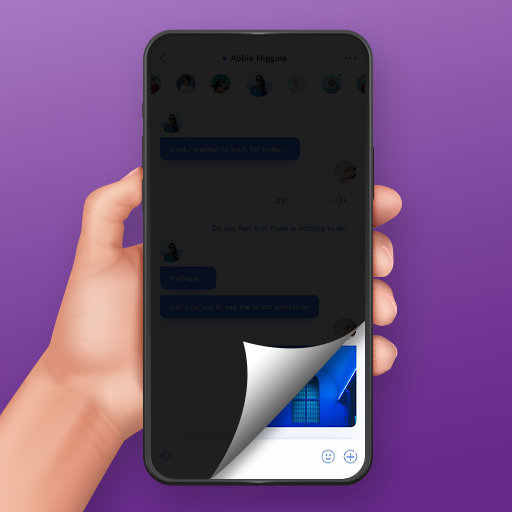
Screen Guard - Privacy Screen is a versatile utility application designed to protect your mobile device's display from prying eyes. Whether you are commuting, working in a public space, or simply handling sensitive information, this app acts as a digital privacy filter that masks your screen's content from those sitting next to you. Beyond its privacy capabilities, the app doubles as a multi-functional screen tool, offering customizable overlays that help reduce blue light and glare for a more comfortable viewing experience.
📌 Core Features
- Customizable Privacy Filters: Choose from a wide array of colors to mask your screen content effectively. 🎨
- Pattern Overlays: Select from various textures and patterns to further obscure the screen from side-angle viewing. 🧩
- Adjustable Transparency: Effortlessly toggle the opacity levels directly from the in-app menu to suit your environment. 🌓
- Blue Light & Dimming Mode: Deactivate patterns to use the app as a screen dimmer or blue light filter for eye protection. 💡
- Anti-Glare Utility: Provides an additional layer of comfort by reducing screen glare in bright light conditions. 🛡️
👍 Pros
- User-Friendly Interface: Boasts a straightforward design that is significantly easier to navigate than many competing privacy apps. ✨
- Multi-Purpose Functionality: Seamlessly transitions between a privacy tool and an eye-care screen filter. 🔄
- Highly Customizable: Offers granular control over both the aesthetic and the functional intensity of the screen overlay. ⚙️
- Privacy Focused: Ideally suited for users who frequently handle emails, messaging, or browsing in public. 🔒
👎 Cons
- System Overlay Permissions: Requires specific Android permissions to draw over other apps, which can be confusing for some users to configure. ⚠️
- Hardware Limitations: Since it is a software filter, it may not be as effective as physical privacy screen protectors in extremely high-brightness environments. ☀️
- Battery Usage: Continuous use of a screen overlay app may lead to a minor, though noticeable, increase in battery consumption. 🔋
- Lack of Advanced Automation: Does not appear to offer scheduling features for the blue light filter (e.g., auto-enable at sunset). ⏰
💵 Price
- Free: The app is free to download and use, though it may contain advertisements or optional in-app elements depending on the version. 💰